
FireRed Image Edit
The revolutionary AI tailored for precise image editing. Master text preservation, style transfer, and photo restoration instantly.
Flawless Text Rendering
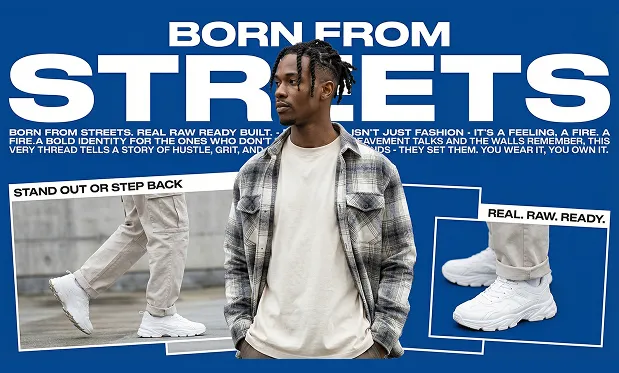
Modify typography seamlessly. FireRed Image preserves font styles, lighting, and perspective, making it perfect for poster and UI editing.
Old Photo Restoration
Breathe new life into history. Repair scratches, enhance details, and upscale low-quality photos without the 'plastic' AI look.
Identity-Preserving Style Transfer
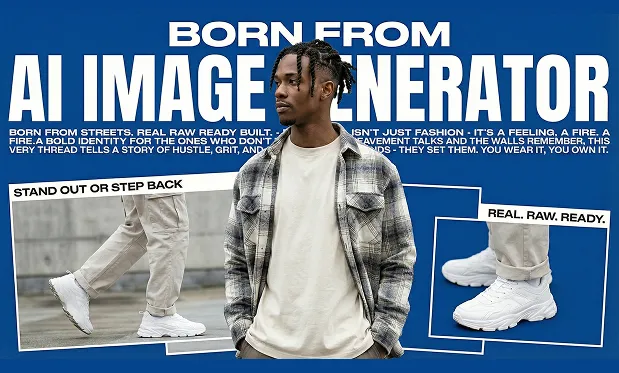
Change the aesthetic while keeping the subject intact. Perfect for virtual try-ons and artistic restyling.
Complex Instruction Following
From subtle lighting tweaks to full object replacement, the model understands complex natural language prompts with surgical precision.
See FireRed Image in Action
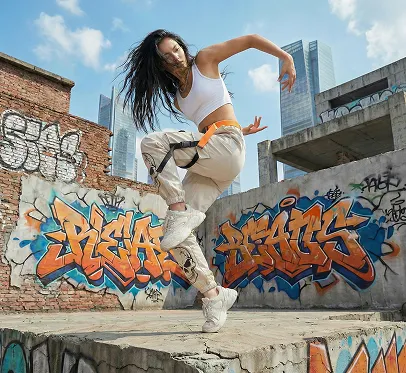
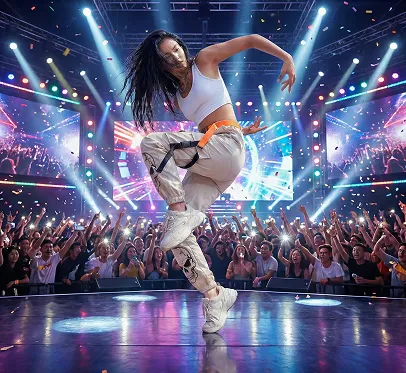
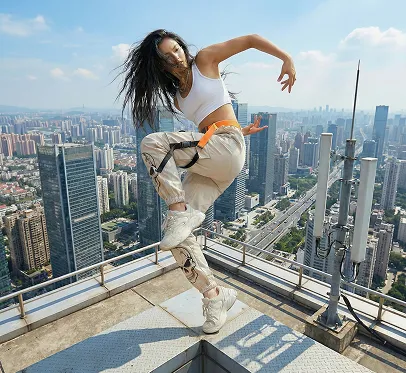
Real before & after results powered by FireRed Image Edit


SOTA Performance
| Model | Overall Score | Text Preservation | Photo Restoration |
|---|---|---|---|
| FireRed-Image-Edit SOTA | 4.56 | 4.97 | 4.56 |
| Qwen-Image-Edit | 4.51 | 4.89 | 4.19 |
| FLUX.2 [Dev] | 4.35 | 4.88 | 4.43 |
Community Feedback
See what creators are saying about FireRed Image Edit
"The text editing capability is unmatched. It actually preserves the font style perfectly!"
"Finally an open source model that handles style transfer without destroying the face ID."
"Restored my grandmother's old photos and the detail recovery is insane. No weird artifacts."
"The instruction following is surgical. I said 'remove the cup' and it vanished without a trace."
"The text editing capability is unmatched. It actually preserves the font style perfectly!"
"Finally an open source model that handles style transfer without destroying the face ID."
"Restored my grandmother's old photos and the detail recovery is insane. No weird artifacts."
"The instruction following is surgical. I said 'remove the cup' and it vanished without a trace."
"Better than Qwen for editing. The implementation of text is just next level."
"I use this for my e-commerce shots now. Changing backgrounds while keeping lighting consistent is easy."
"No sign-up required? And it's this good? Absolute game changer for quick edits."
"The SOTA claims are real. I tested it against paid tools and FireRed won on text rendering."
"Better than Qwen for editing. The implementation of text is just next level."
"I use this for my e-commerce shots now. Changing backgrounds while keeping lighting consistent is easy."
"No sign-up required? And it's this good? Absolute game changer for quick edits."
"The SOTA claims are real. I tested it against paid tools and FireRed won on text rendering."
"Seamlessly integrates into my workflow. The high fidelity output is exactly what I needed."
"Virtual try-on results are professional grade. The fabric textures are preserved beautifully."
"I love how it handles complex lighting changes. It feels like it understands the 3D scene."
"Text replacement that actually looks native to the image. This is magic."
"Seamlessly integrates into my workflow. The high fidelity output is exactly what I needed."
"Virtual try-on results are professional grade. The fabric textures are preserved beautifully."
"I love how it handles complex lighting changes. It feels like it understands the 3D scene."
"Text replacement that actually looks native to the image. This is magic."
"Fast, free, and powerful. FireRed Team really delivered on this one."
"The best part is the no-login access. I can just jump in and edit instantly."
"Layout-aware editing is a breakthrough. It respects the original composition perfectly."
"From simple tweaks to complex composites, this model handles it all with ease."
"Fast, free, and powerful. FireRed Team really delivered on this one."
"The best part is the no-login access. I can just jump in and edit instantly."
"Layout-aware editing is a breakthrough. It respects the original composition perfectly."
"From simple tweaks to complex composites, this model handles it all with ease."
Frequently Asked Questions
Is FireRed Image Edit free to use?
Yes, FireRed Image Edit is completely free. The underlying FireRed-Image-Edit model is open-sourced under the Apache-2.0 license, and our online tool provides free access to all its capabilities without any hidden costs.
Do I need to sign up to use FireRed Image?
No. FireRed Image requires no sign-up or login. You can start editing images immediately — just upload your photo, type your instruction, and let FireRed Image Edit do the rest.
What makes FireRed Image Edit different from Midjourney or DALL-E?
Midjourney and DALL-E are text-to-image generators that create images from scratch. FireRed Image Edit is specialized for editing existing images — it preserves the original structure, identity, and context while making precise, instruction-driven changes.
Can I use FireRed Image Edit for commercial purposes?
Yes, the FireRed Image Edit model supports commercial use under the Apache-2.0 license. You are free to use outputs generated by FireRed Image in commercial projects. Please refer to our terms for specifics about the hosted service.
How does FireRed Image handle text editing in photos?
FireRed Image Edit achieves a near-perfect text preservation score of 4.97 on the RedEdit Bench. It can modify, replace, or add text in images while preserving the original font style, lighting, shadows, and perspective — making FireRed Image the best choice for poster and signage editing.
Can FireRed Image Edit restore old or damaged photos?
Absolutely. FireRed Image excels at old photo restoration. It repairs scratches, enhances faded details, and upscales low-resolution images without introducing the artificial 'plastic' look common in other AI tools. FireRed Image Edit restores photos with natural, authentic results.
What is the FireRed Image Edit model architecture?
FireRed Image Edit is built on a diffusion-based architecture fine-tuned specifically for image editing tasks. Unlike general-purpose models, FireRed Image uses a specialized training pipeline that prioritizes instruction fidelity, identity preservation, and high-resolution output quality.
How does FireRed Image compare to Qwen Image Edit?
On the RedEdit Bench, FireRed Image Edit scores 4.56 overall versus Qwen Image Edit's 4.51. FireRed Image significantly outperforms in text preservation (4.97 vs 4.89) and photo restoration (4.56 vs 4.19), making FireRed Image Edit the current open-source SOTA.
Does FireRed Image Edit support style transfer?
Yes. FireRed Image Edit supports identity-preserving style transfer. You can change the artistic style of an image — such as converting a photo to anime, oil painting, or cyberpunk — while FireRed Image keeps the subject's face, pose, and key features intact.
What image formats does FireRed Image support?
FireRed Image Edit supports all common image formats including JPEG, PNG, and WebP. You can upload any standard photo format and FireRed Image will process it. Output images from FireRed Image Edit are delivered in high-quality PNG format.
Is FireRed Image Edit open source?
Yes, FireRed Image Edit is fully open source. The model weights, training code, and inference pipeline are available on GitHub and Hugging Face. You can self-host FireRed Image or use our free online tool for instant access to FireRed Image Edit's capabilities.
Can FireRed Image Edit handle complex editing instructions?
Yes. FireRed Image Edit understands complex natural language prompts with high precision. From 'replace the sky with a sunset' to 'change the dress color to red while keeping the pattern,' FireRed Image follows multi-step instructions accurately.
How fast is FireRed Image Edit?
FireRed Image Edit typically processes an edit in 5-15 seconds depending on image resolution and complexity. Our online FireRed Image tool is optimized for fast inference, so you get high-quality results from FireRed Image Edit without long waits.
Does FireRed Image Edit work on mobile devices?
Yes. The FireRed Image online tool is fully responsive and works on smartphones and tablets. You can use FireRed Image Edit directly from your mobile browser — no app installation needed.
What is the maximum resolution supported by FireRed Image?
FireRed Image Edit supports input images up to 2048×2048 pixels. For best results, we recommend using images of at least 512×512 pixels. FireRed Image Edit automatically handles aspect ratio preservation during the editing process.
Can I use FireRed Image Edit for virtual try-on?
Yes. FireRed Image Edit excels at virtual try-on tasks. Upload a photo of a person and describe the clothing change — FireRed Image will swap garments while preserving the person's identity, body pose, and natural fabric draping with photorealistic quality.